




Singapore launches first data center powered by human neurons
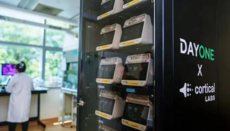
20 biological CL1 computers running on lab-grown neurons have been combined into a single server rack.
Developers in Singapore have launched a prototype of the world's first biological data center based on living human neurons. The project organizers grew biological cells from human stem cells in a laboratory at the medical faculty of the National University of Singapore, reports The Next Web.
The medical faculty of the National University of Singapore, data center operator DayOne, and Australian company Cortical Labs presented the equipment to a group of 80 guests on August 6, 2026. Engineers combined 20 CL1 computers into a single server rack.
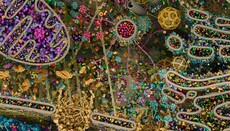
Specialists from the Institute of Life Sciences grew living human cells from human stem cells. Each device contains biological processors and requires constant care to keep the neurons alive. Life support systems include pumps for delivering nutrients, temperature control, a gas mixture, and water filtration. The project's creators plan to carry out server maintenance once every six months.
The creators cite energy savings as the main advantage of biological computers. The entire biological rack consumes between 800 and 1,000 watts of power, which is comparable to running several home computers. Conventional silicon server racks for artificial intelligence operations require up to one hundred kilowatts of power.
The world's first CL1 biological computers went on sale as early as March 2, 2025. However, the emergence of this technology sparked serious ethical debates among scientists. Although the neurons in the CL1 are lab-grown and do not possess consciousness, this has provoked discussions about the nature of consciousness and the possibility of such biological systems experiencing suffering.
As the UOJ reported, a US startup will edit embryo genes.